What it finds
BACnet, all of it
Every controller that answers a Who-Is, the MS/TP devices behind each router (also on other subnets, with no BBMD), BBMD tables, and each device's points with values, units and alarm state.
The exact model
Signals from every protocol combined: Trane Tracer SC+ and UC600, Siemens Desigo PXC and DXR2, Johnson Controls FEC and NAE, Niagara JACEs, Schneider, Carrier, Distech, KMC and more.
Not just BACnet
Modbus TCP devices and gateways with their registers, KNX IP interfaces, Niagara stations (version, host ID, brand), APOGEE P2 panels, OPC UA, S7, EtherNet/IP, MQTT, and every HVAC web interface's title and certificate.
Trends, schedules, alarms
What each trend log records and whether it has stopped, each schedule's week and what it controls, and who gets each alarm: a notification class routed to no one, or to a workstation long gone, stands out.
A report for the owner
Findings ranked by severity (factory-default logins on a reachable interface, cleartext logins, BACnet/SC or KNX gateways open to anyone, expired certificates, points in alarm), the inventory and open services, in one HTML file. Plus a point list as CSV.
What changed since last time
Compare a scan with an earlier one: devices that appeared or went quiet, new firmware, a model or address that changed. Run it nightly from the command line and alert only on change.
Screens
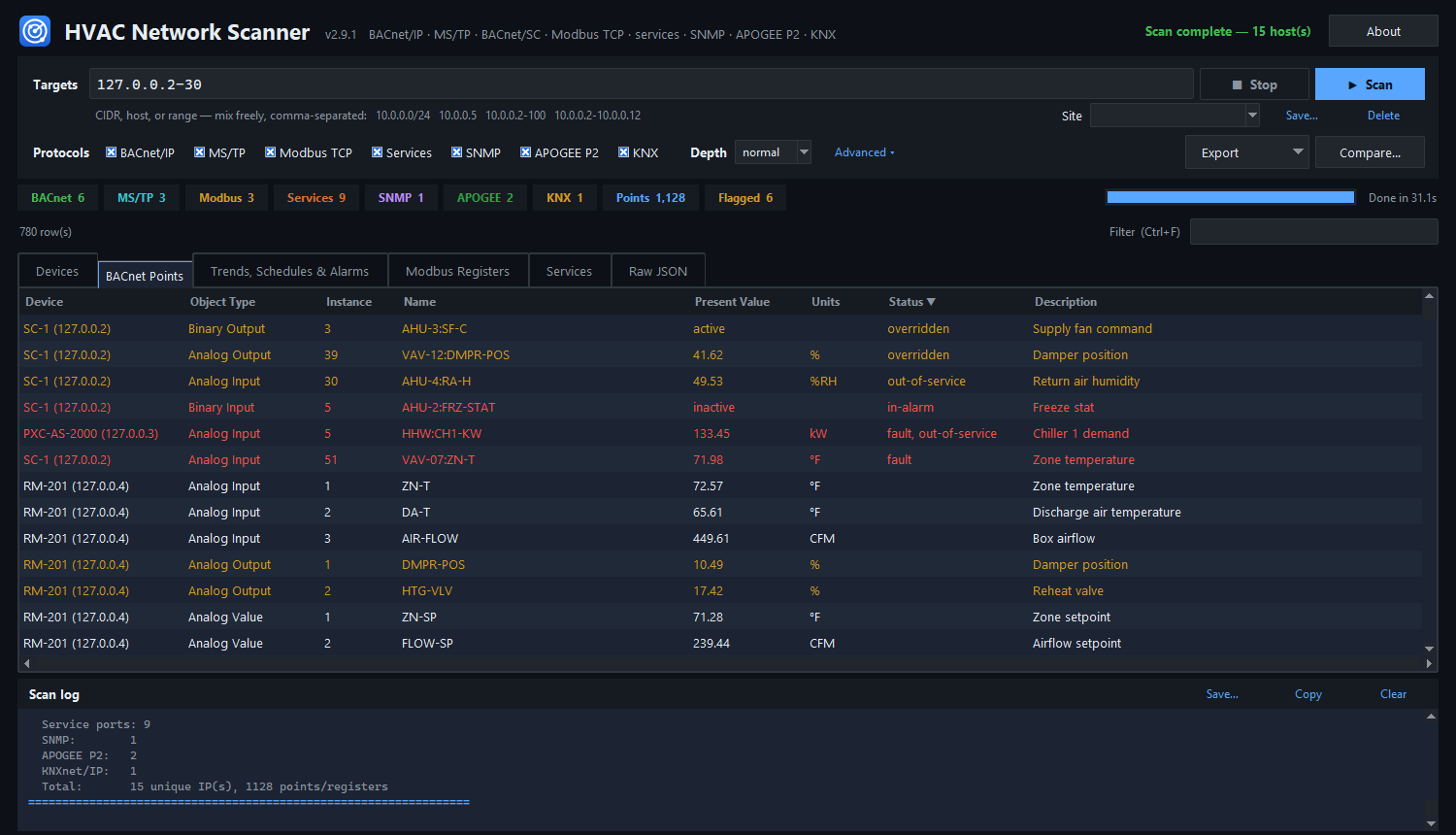
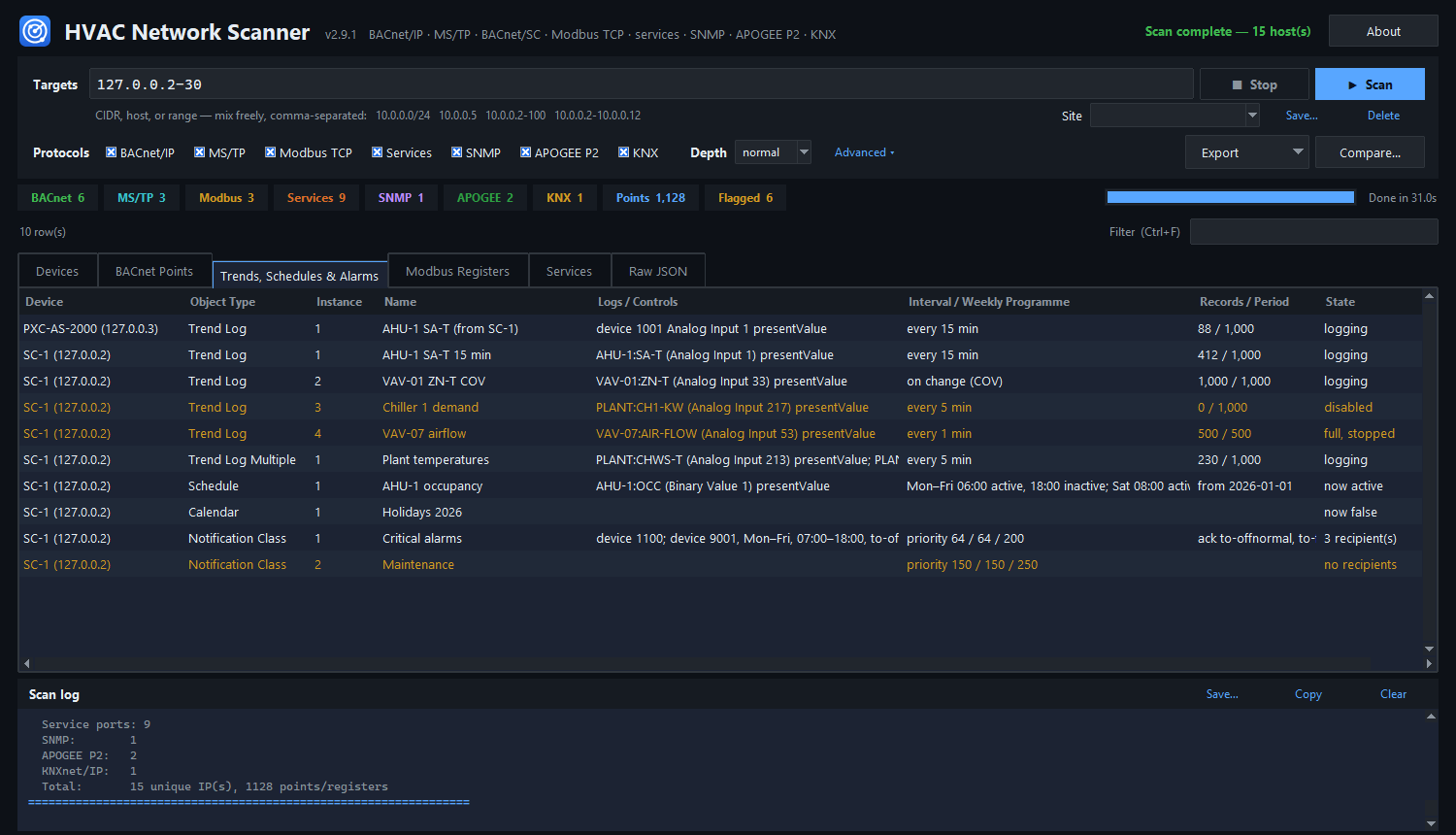
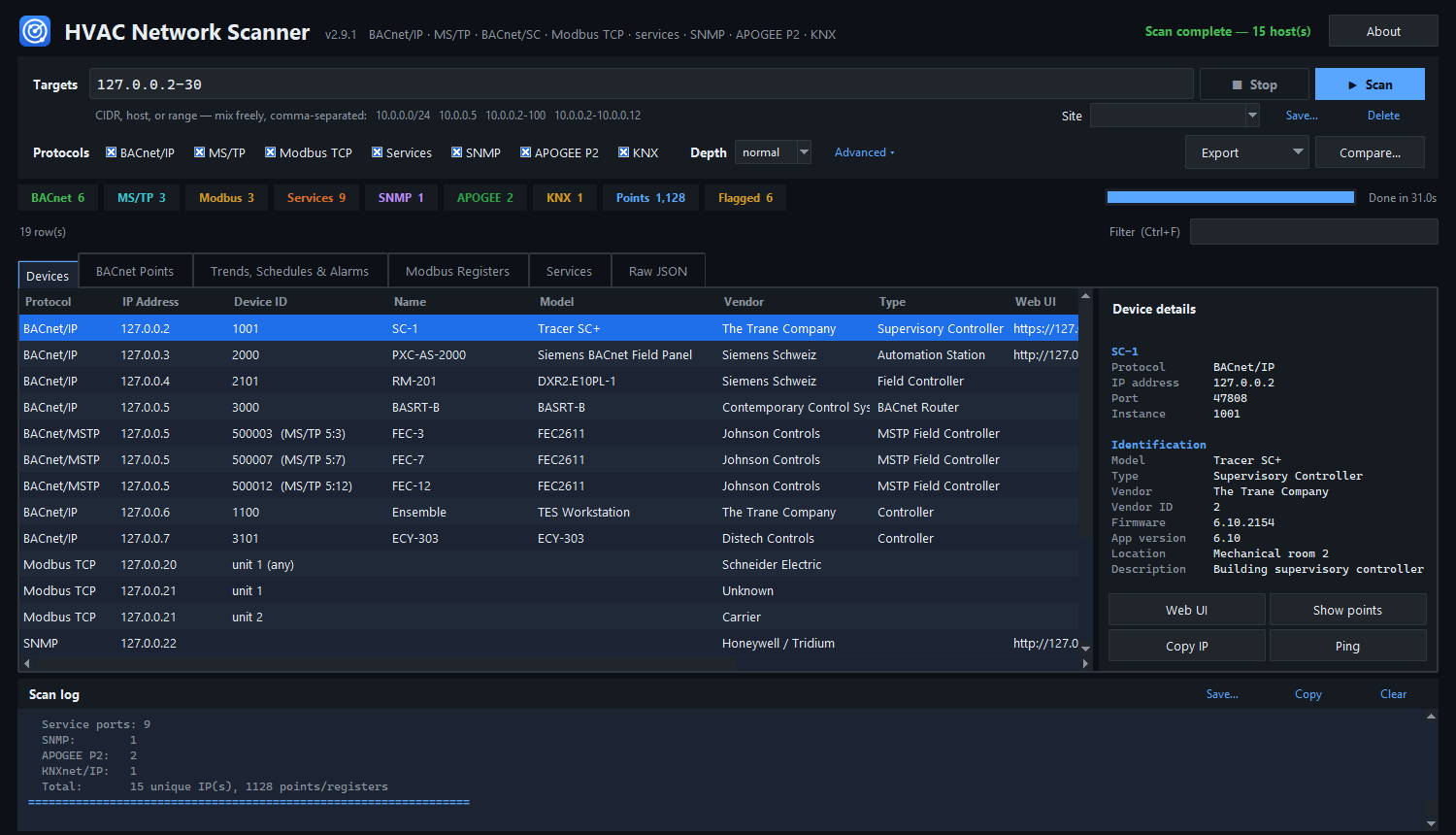
Screens from the simulated site that comes with the scanner (tools/sim_site.py): made-up controllers on this PC's loopback addresses, so you can try it without a building.
Gentle by design
It reads; it doesn't write
- BACnet: Who-Is, Who-Is-Router-To-Network, Read-BDT/FDT, ReadProperty and ReadPropertyMultiple. No writes, no reinitialize, no subscriptions.
- Modbus: identification and register reads to a few unit IDs; never unit 0, never a write.
- KNX: one description request, no connection.
- APOGEE P2: one identify frame with a deliberately wrong network name; nothing registered.
- Web and other services: connect, read the banner or
GET /, close. Nothing logs in.
And keeps the load small
- One request at a time to any controller, and one conversation at a time on an MS/TP trunk.
- Batched reads sized to what each device can send back, so small MS/TP controllers don't abort.
- At most two connection attempts to a host at once; a rate limit for fragile sites.
- Never takes UDP 47808 from BACnet software already running on the PC.
- Hostile or broken devices can't hang or crash a scan.
Two exceptions, said plainly
SNMP asks with a community string (public unless you set others), which is a password of sorts: an agent may log a wrong one. Turn SNMP off if that matters. BBMD registration, off unless you ask for it, adds the scanner to the BBMD's foreign-device table for at most five minutes after the scan, so its broadcasts reach other subnets. Factory-default logins are shown so the owner can check they were changed; they are never tried.
Only scan networks you own or are authorized to assess. Building systems can react badly to traffic they don't expect.
Install
Windows 10 and 11
Download HVACNetworkScanner.exe and run it: one file, nothing to install. It isn't code-signed, so SmartScreen says "Windows protected your PC" (More info → Run anyway). Check the file first; its SHA-256 is in the release notes:
Get-FileHash .\HVACNetworkScanner.exe -Algorithm SHA256
GitHub Actions builds it from the tagged commit and signs an attestation saying so; with the GitHub CLI:
gh attestation verify .\HVACNetworkScanner.exe --repo jamesccupps/HVAC-Network-Scanner
If Windows Firewall asks, allow it on the networks you scan: replies to a BACnet broadcast are dropped otherwise.
Any OS, with Python 3.10 or newer
The standard library is all it needs. Install it, then start the window or the command line:
pip install git+https://github.com/jamesccupps/HVAC-Network-Scanner.git
hvac-scanner-gui
A scan from the command line, with the survey report and the point list:
hvac-scanner 10.0.0.0/24 --html survey.html --points-csv points.csv
Try it without a building: git clone the repository, run python tools/sim_site.py, and scan 127.0.0.2-30.
Tested against
| Supervisory controllers | Trane Tracer SC+ (5,000+ objects), Trane Tracer Ensemble, Siemens Desigo CC / Insight |
|---|---|
| Field panels | Siemens PXC Compact and Modular (a 1,960-object program), Trane Symbio 400-500 on MS/TP |
| Room controllers | Siemens DXR2 |
| So far | About 13,000 points read and 30,000 BACnet exchanges without a wire-level error. For hardware not listed, a size-based heuristic sets how much to read; a device profile from your scan helps the next person. |
Feedback
Found a bug, or scanned gear it didn't recognise? Open an issue. The command-line reference, the changelog and the roadmap are in the README. Siemens APOGEE P2 sites: see the P2 scanner and Wireshark dissector.