
A better Notepad, for files of any size
Huge files, instantly
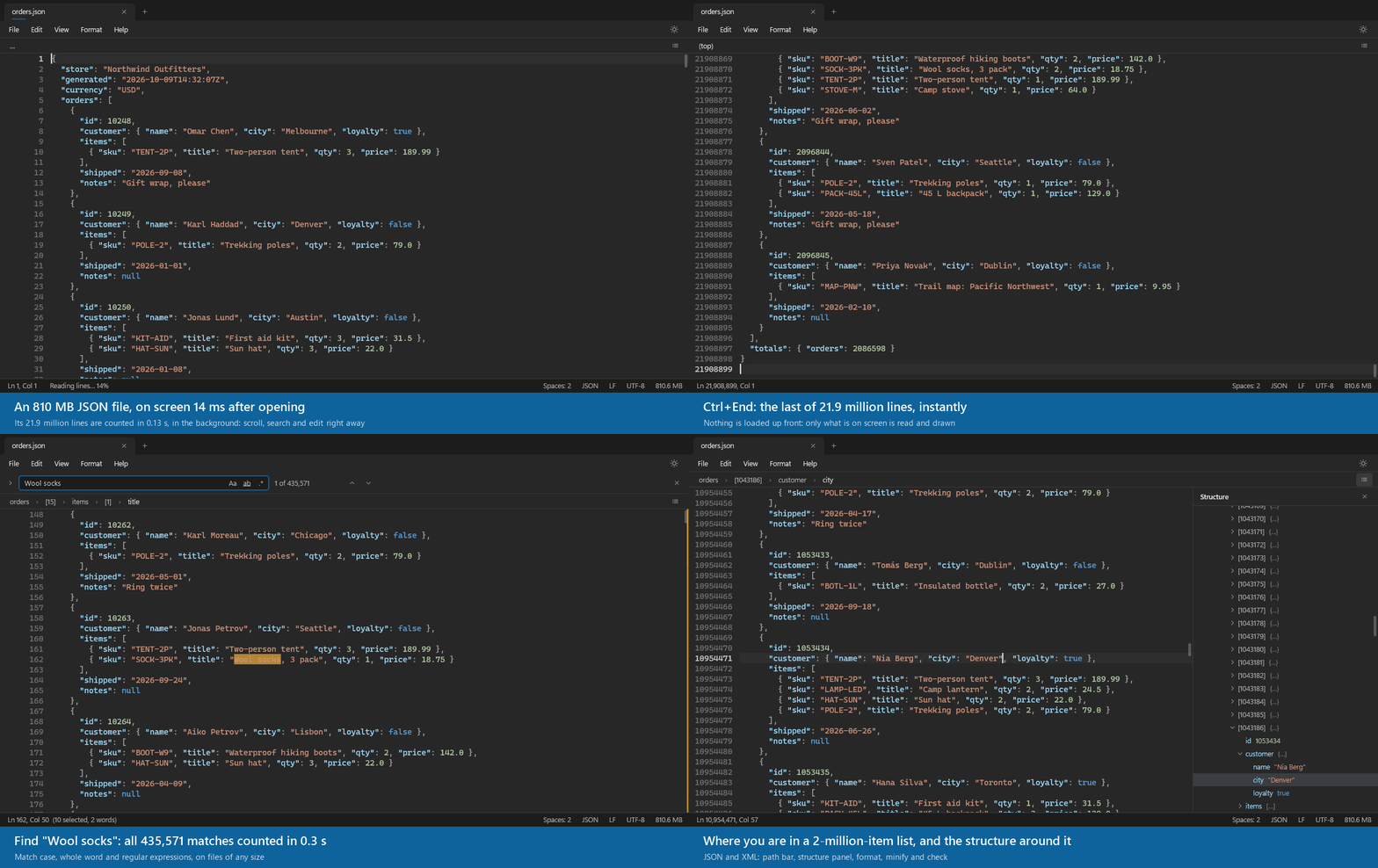
Nothing is loaded up front: only what's on screen is read and drawn. Logs, database dumps and exports of hundreds of megabytes open, scroll and search like small ones.
Fast find and replace
Match case, whole word and regular expressions. The matches are counted as you type, on files of any size, without freezing the window.
Never loses your work
Tabs and unsaved changes come back after a restart, big files included. Anything Slate can't keep is asked about first.
Colors for 52 languages
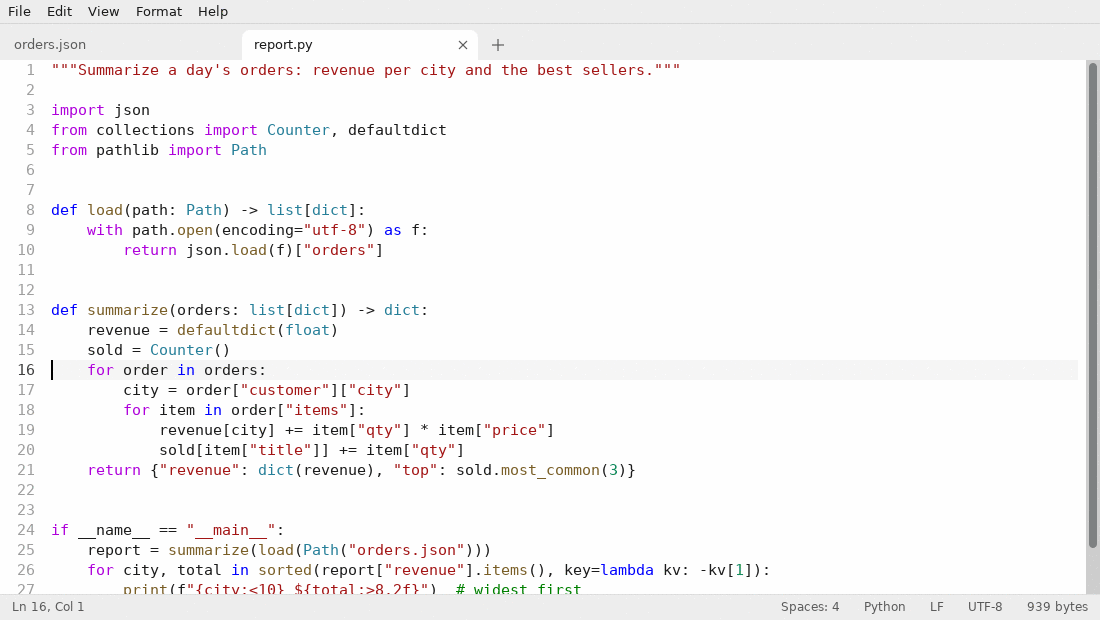
Python, PowerShell, C, C#, Rust, JavaScript, SQL, HTML, CSS, Markdown, YAML, logs, CSV with a color per column, G-code, PPCL and more.
JSON and XML tools
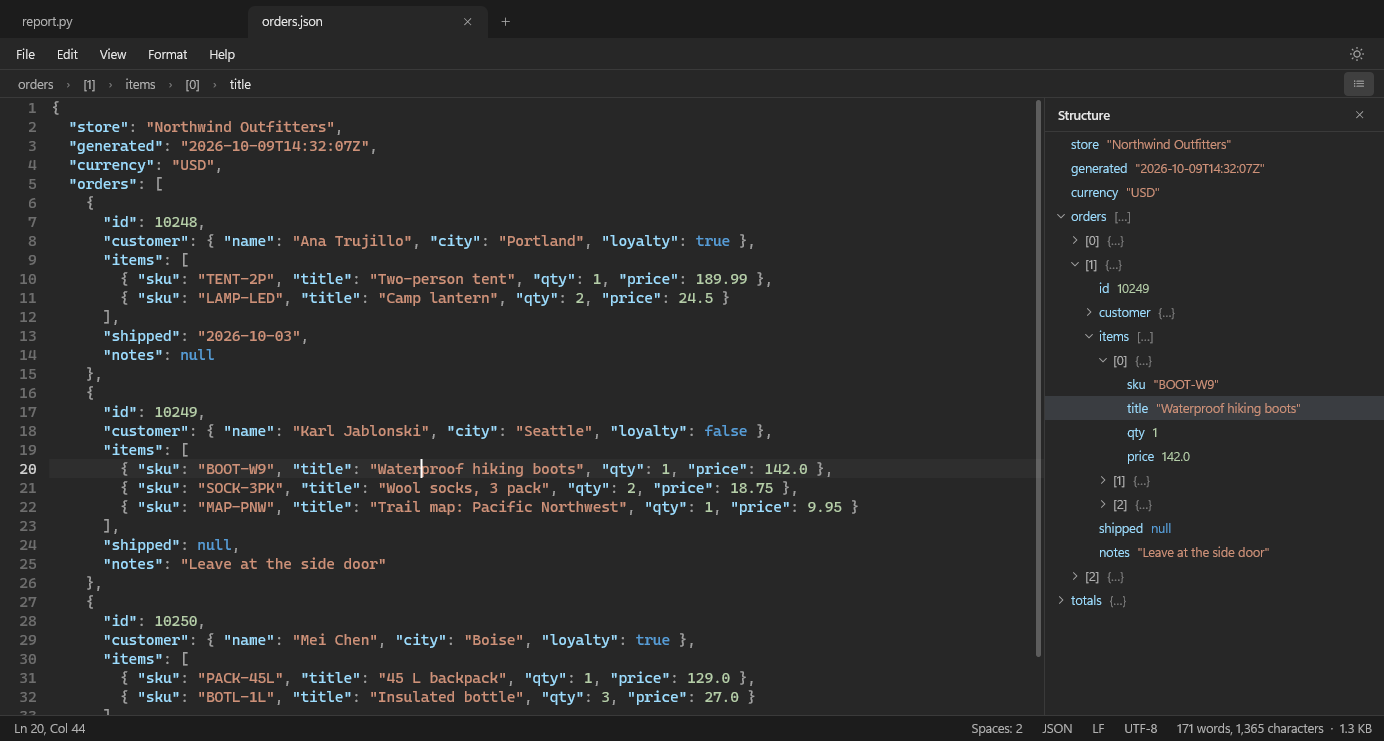
Format, minify and check. A path bar shows where the cursor is (orders › [1203] › name) and a structure panel browses the tree, on huge files too.
Small, signed, up to date
One signed Slate.exe on Windows that updates itself; a .deb with its own apt repository on Linux. No accounts, no tracking.
Windows and Linux
Install
Windows 10 and 11
Download Slate.exe and run it from any folder; Help → Open files with Slate… adds it to the Start menu and to "Open with". It's signed by James Cupps. It checks for updates once a day and installs them with one click.
Linux and Raspberry Pi (64-bit)
In a terminal; the package adds Slate's apt repository, so sudo apt upgrade keeps it up to date:
wget -O /tmp/slate.deb https://github.com/jamesccupps/Slate/releases/latest/download/slate-linux-$(dpkg --print-architecture).deb
sudo apt install /tmp/slate.deb
Or add the repository yourself and install it by name:
sudo wget -O /usr/share/keyrings/slate-archive-keyring.gpg https://jamesccupps.github.io/Slate/apt/slate-archive-keyring.gpg
echo "deb [signed-by=/usr/share/keyrings/slate-archive-keyring.gpg] https://jamesccupps.github.io/Slate/apt stable main" | sudo tee /etc/apt/sources.list.d/slate.list
sudo apt update && sudo apt install slate
Feedback
Slate is young and improving quickly. Found a bug or have an idea? Open an issue or say hello in Discussions. On Windows, Help → Report a problem… fills in the version for you.