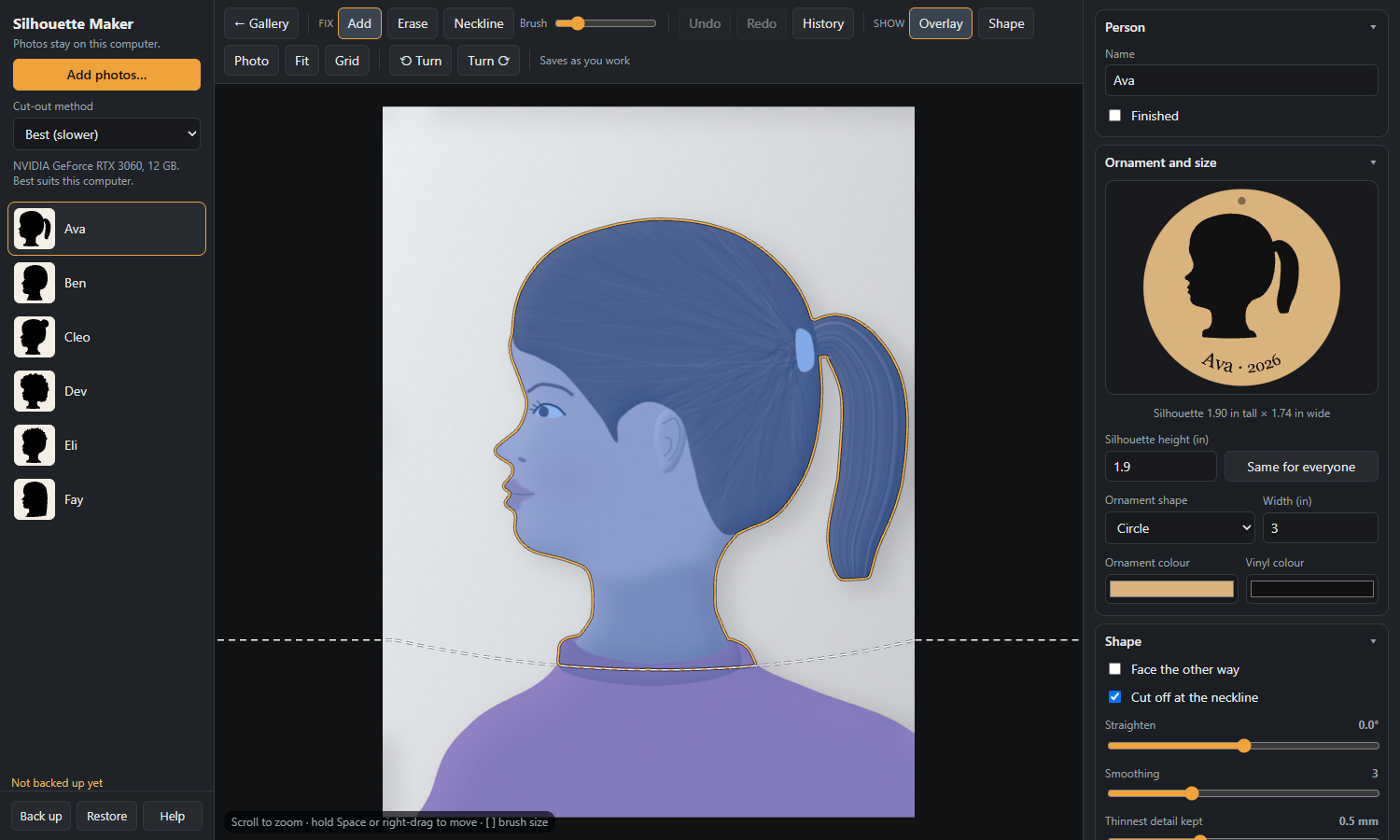
The editor. The pictures on this page use drawn sample profiles, not real children.
Made for a daycare ornament project
Photograph each child in profile, cut the silhouette from black vinyl or paper, and put it on a wooden ornament. Photos of children should not go to an online service for that, so the cut-out is done by a model that runs on your own PC.
Automatic cut-out
Each photo is cut out by itself and stood upright if it was taken sideways or upside down. JPEG, PNG, WebP and iPhone HEIC photos all work.
Touch-up when it needs it
Add and Erase brushes with undo and a history, turn and straighten, a grid, and a neckline you shape with three dots.
The ornament, as it will look
Circle, oval, heart, star and more, in your wood and vinyl colours, with the silhouette at its real size and a warning when it does not fit.
Lettering that cuts
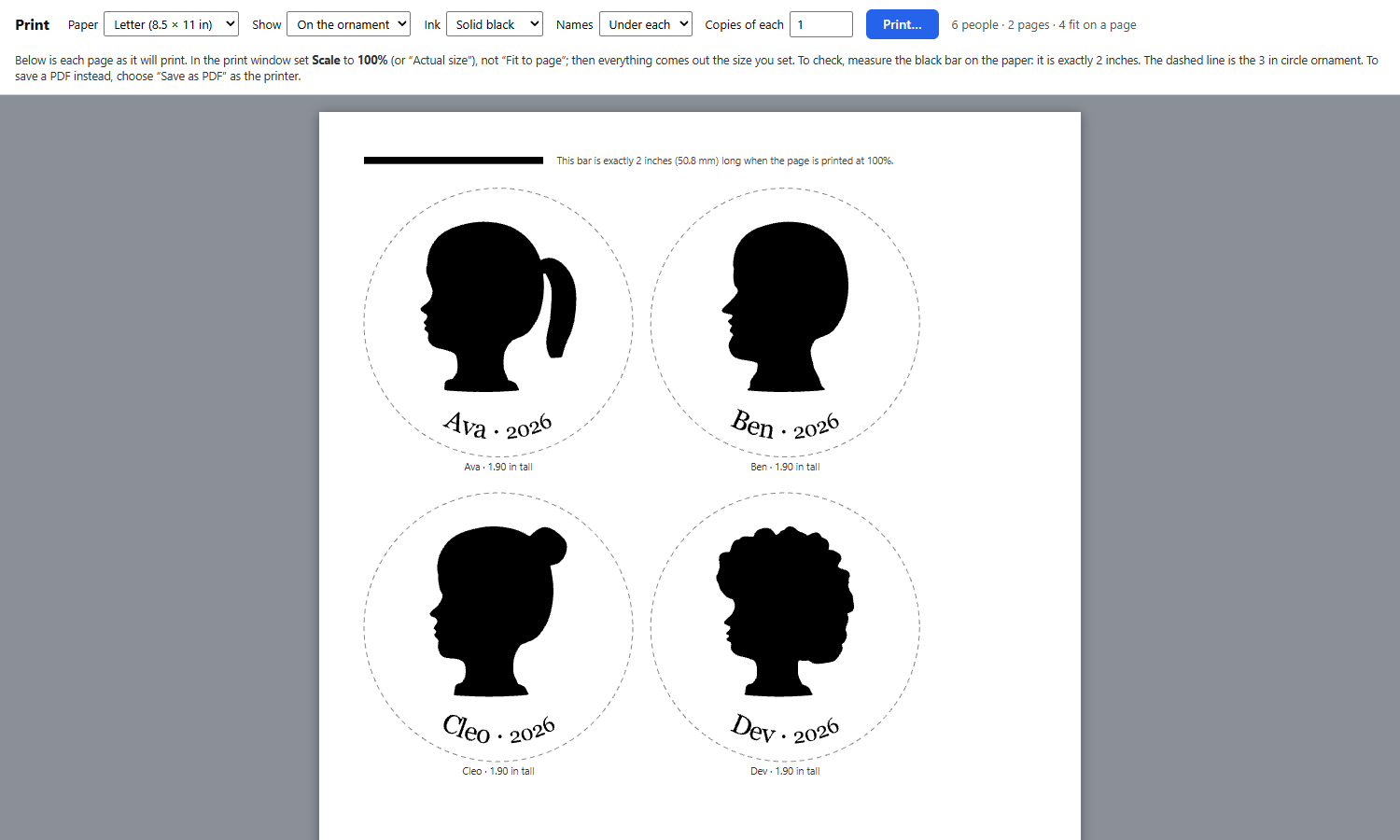
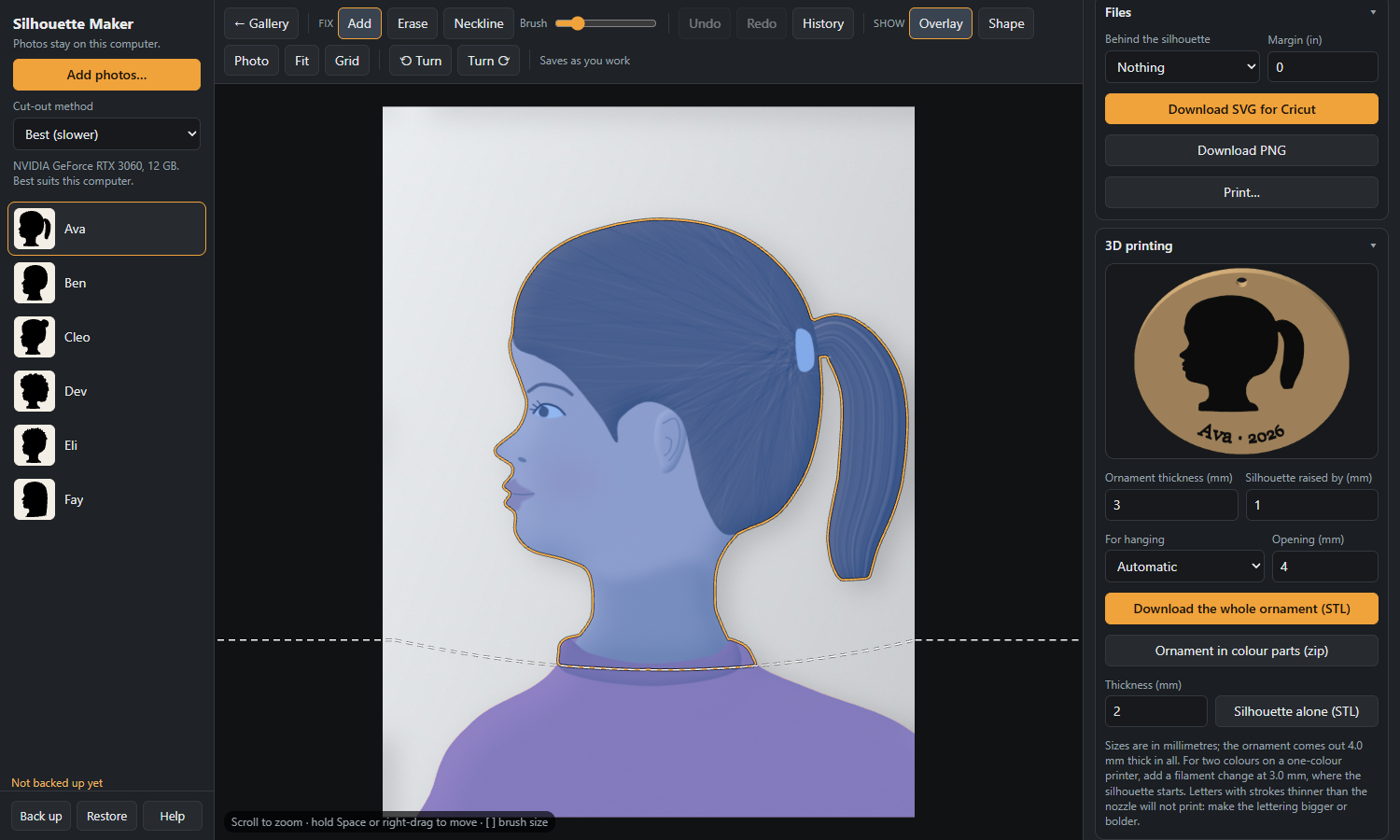
The name and a second line, straight or curved along the edge, in any font on your PC. Letters go into the file as outlines, so Design Space cuts them.
A whole class at once
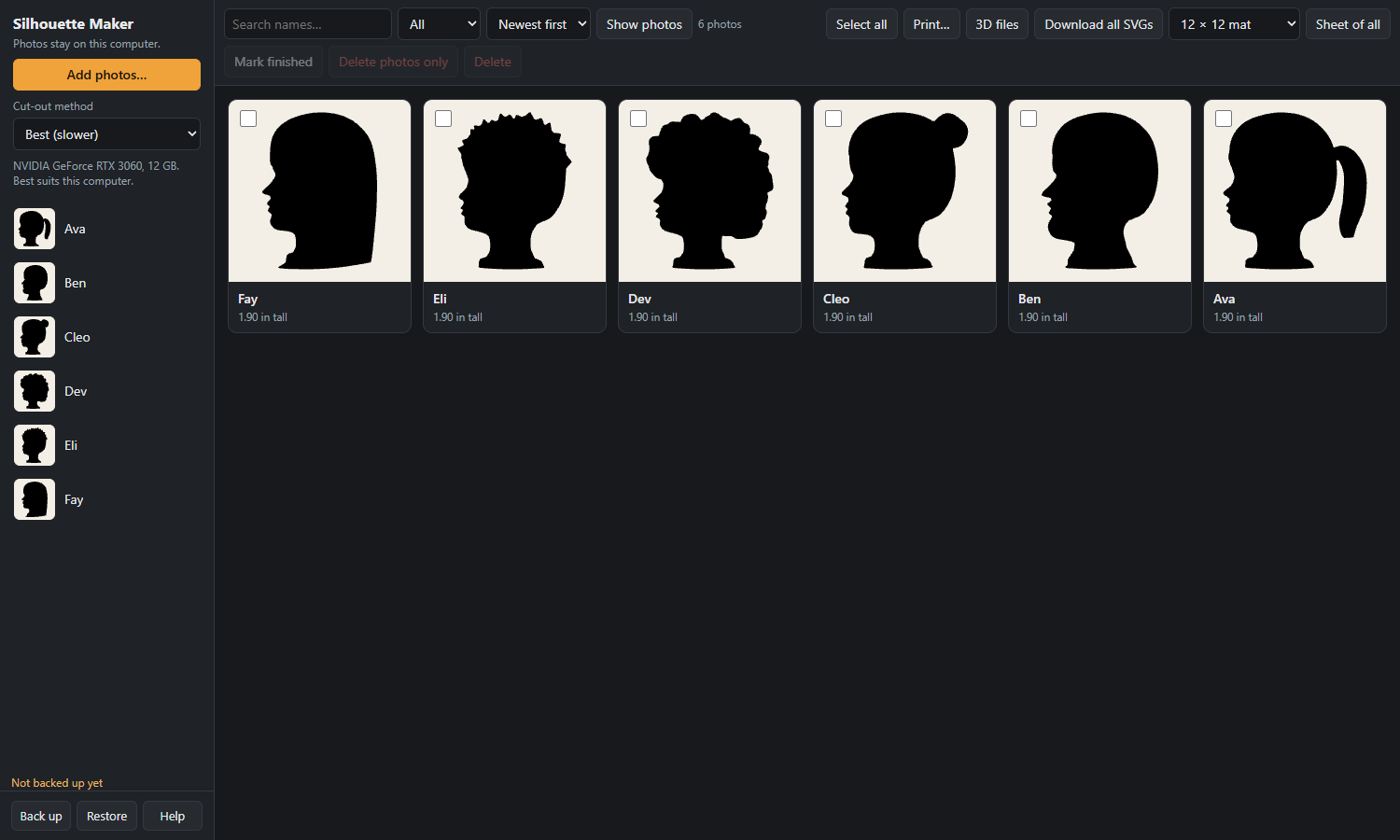
A gallery with one card per child, one height for everyone, sheets laid out for your mat, and every file in one download.
Yours to keep or delete
Delete the photos and keep only the silhouettes when you are done, or back everything up as one file.
Three ways out
Photos never leave the computer
- The cut-out is done by a model running on your PC. Nothing is uploaded.
- The app is a page served from
127.0.0.1, and it refuses requests from any other computer or web site. - The only download is the cut-out model itself, fetched once on first use. After that it works offline.
- Working copies of the photos are ordinary files in the app's
datafolder. Delete in the app removes them.
Install
- Install Python 3.10 to 3.13 if the PC doesn't have it.
- Download Silhouette-Maker.zip and unzip it.
- Double-click Start Silhouette Maker.bat. The first run sets itself up, then a page opens in your browser.
The Best cut-out uses the graphics card: about 1 second a photo on an NVIDIA RTX 3060 with NVIDIA's own runtime (a one-time download of about 2.2 GB), about 11 seconds on any other DirectX 12 card. Fast runs on any PC in about a second and is rougher around hair. The app looks at your PC and says which suits it.